Loading brand data...
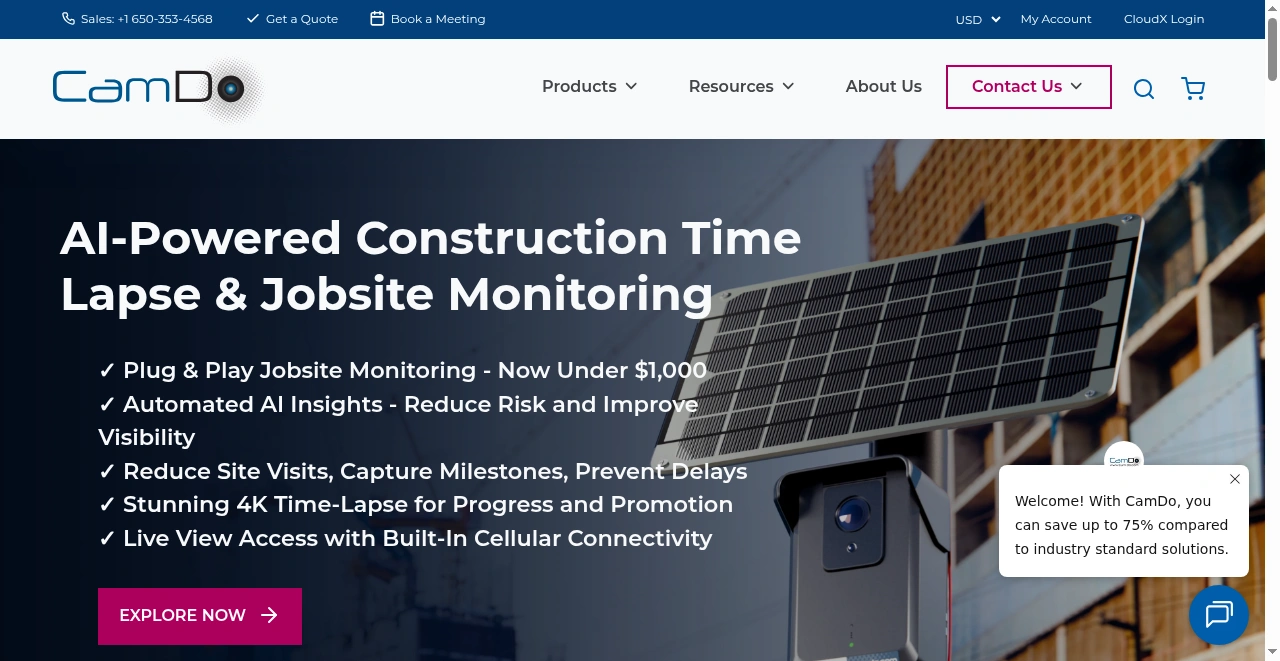
Explore Cam-Do's cutting-edge time-lapse solutions at cam-do. Enhance your projects with our versatile time-lapse technology, suitable for a wide range of industries.
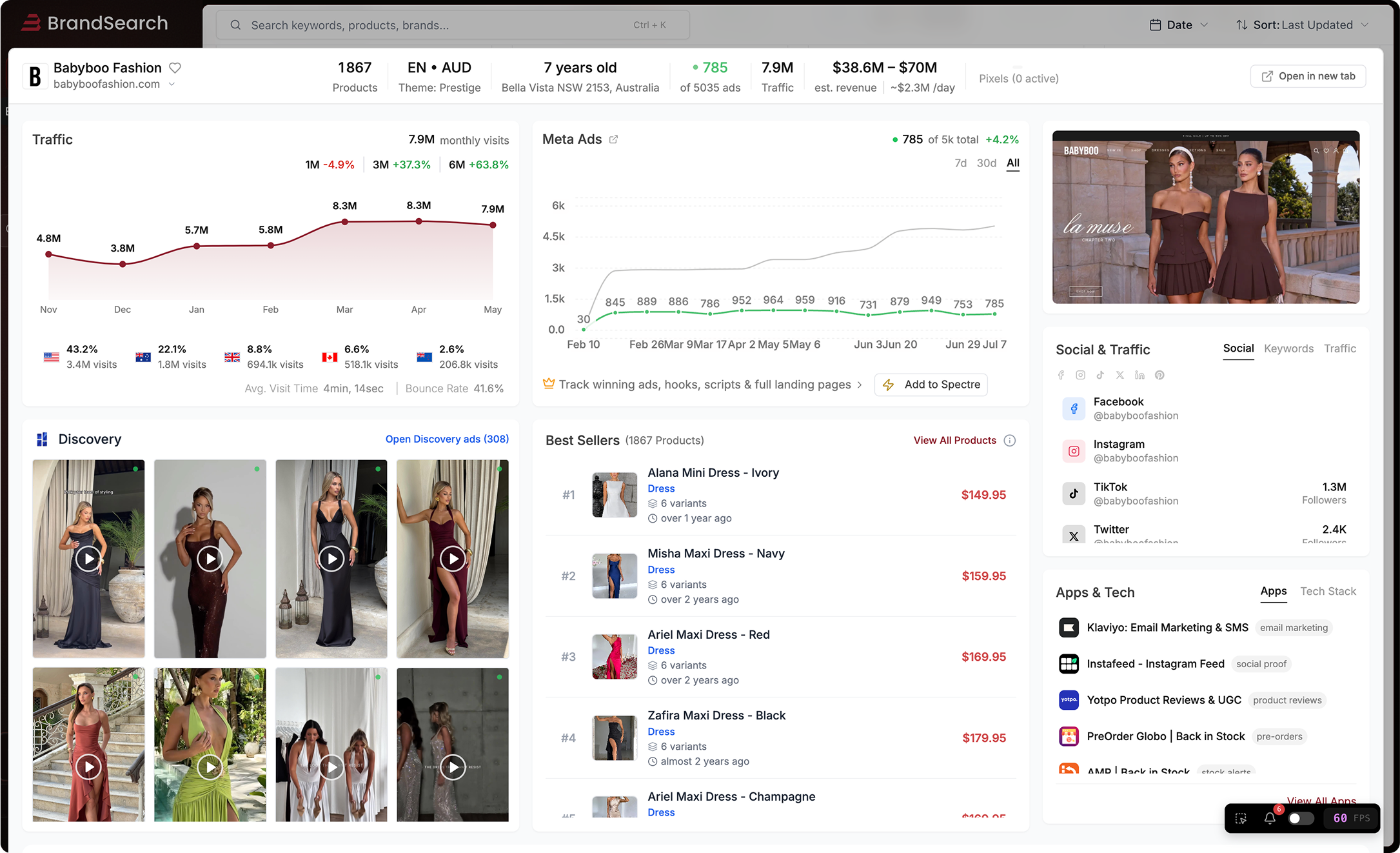
Monthly traffic, revenue estimates and visitor behavior — based on public data.
Explore Cam (camdotest.myshopify.com) is a Canada-based online store specializing in /Consumer Electronics/Camera & Photo Equipment. The store is generating approximately $452K in monthly revenue, attracting 51K monthly visitors, with a catalog of 5 products. This brand ranks as a growing store with steady visitor engagement in its category. Their technology stack includes Qteedy, Gorgias, and HubSpot for enhanced store functionality. Geographic distribution shows 29% of traffic from Australia, followed by 16% from United States.
Get precise traffic data
Exact visitor counts, traffic sources, geographic breakdowns & profit margins.
Top 6 products from this store.

Product Code: SWI01 We're always trying to improve our products. Please click here to answer a few questions about our WIGO application. WiGo is a Windows application designed to communicate with GoPro WiFi enabled cameras that can be used to change the camera settings, preview the image, and download photos and videos directly to your PC from the SD card. Shortly after the iPhone application was released by GoPro, a number of enterprising individuals began to catalog the WiFi commands sent from that app to the GoPro Wifi BacPac. They were generous enough to share their observations on the GoPro User Forum . In particular, dough29 contributed enormously to the task of documenting the List of GoPro Wifi BacPac Commands and has built RemoteGo , an Android app to control the camera. This software builds on their work. Thank you. WiGo does not require any installation. Download the WiGo.exe file to the folder you wish to use and run it. Your browser and Windows will warn you that this is unsafe. They are right. It is always risky to download an executable file from an unknown source. Never install WiGo or any other program if you are unsure of the source. If you download from cam-do.com, WiGo.exe is coming directly from the author. It does not contain malware of any kind. Never download WiGo.exe from any other site . Disclaimer: This is beta testing software. Use at your own risk. This software may damage your camera. The responsibility is entirely with the user. The author accepts no responsibility for any damage that may be caused by using this software. Installations Testimonials Support Return Policy View the WIGO User Manual>> FAQs Can WiGo be set up to automatically take pictures and upload them to a web site for remote viewing? No, that feature is not available in WiGo. What versions of Windows will WiGo run on? It has been tested on Windows 10, Windows 8, Windows 7 and Windows XP. There is no reason it shouldn't run on almost all Windows versions released in this century. SSID display and automated camera selection are only available in Windows 7 and 8. Users report that it works with the Windows 8 Microsoft Surface Pro Tablet . Will it work with my camera? It works with all 3 versions of the HERO3 Cameras and the HERO2 with the WiFi BacPac accessory. There are some features that only work with particular cameras because of the features GoPro has included or the way they have configured their firmware. HERO3+ includes some new settings and status feedback that were not available in the previous cameras. WiGo works with the HERO3+, but not all settings. HERO4 and HERO5 is not supported. What are the users saying about WiGo? Feedback has been almost 100% positive. Quite a few users have been happy enough to donate. For example, read these unsolicited emails: I'm just writing to thank you so so much for the WiGo... i`ve been for about a week or so trying to get the GoPro App through an android emulator for PC and was just about to lose my goddamn mind when I stumbled upon your website, and your wonderful wonderful software. Congratulations on developing this way before GoPro did, or should have done (still dont know why) but the program works amazingly. I don't know if you updated the software since the last time you posted any comments, but I have a HERO3 WHITE ED. and EVERYTHING worked perfectly !!!!! The Previews, the functions, the mode selection, the options selection....everything commanded through the software, the only issue that I believe is normal is the 2 or 3 second delay on the preview image !! but that is expected...and being what it is...even welcome...lol !!!! - Leonardo in Sao Paulo Your program fixed my HERO3 Silver blue light problem!!! Ever since I did the newest firmware update on my HERO3 Silver the blue WiFi lights don't work anymore. This started to cause a problem because you would never really know when the WiFi antenna was on or off. The WiFi button is very easy to activate by accident. It would turn on with out me knowing, rendering the camera battery dead when you wanted to use it. When the camera is off the only way to know the WiFi antenna is on was the blue light blinking. I found your program online wanting to connect my GoPro to my laptop via WiFi for streaming or just something neat to have. First of all, on my HERO3 Silver everything works perfectly!!! I was messing around with the settings for the LEDs in WiGo. Turned the LED setting off then on and now the blue lights work again!!!! Don't know how it fixed it, but it did and has worked ever since. Now I know when the antenna is really on or off again. Thank you thank you thank you for such an awesome program. Your time is much appreciated. I will certainly mention this awesome program and website to my fellow users and also suggest a donation to your efforts. Thanks again! - Josh Tips & Troubleshooting Streaming video is delayed or cuts off after a few seconds. The delay is normal and is part of the GoPro implementation. Some users have reported the streaming working without problems. Others seem to have it stop intermittently. Make sure the firmware in the camera is up-to-date and installed properly. Sometimes a manual install fixes problems after GoPro's automated install has appeared to work. Make sure you are using the latest version of VLC. Restart your computer after updating VLC. WiGo does no more than pass the address of the camera's streaming feed to VLC. One VLC setting that improves streaming is under VLC - Tools - Preferences - Input & Codecs - Default Caching Policy - select Lowest Latency. There are a lot of settings which can be optimized and perhaps a VLC guru can tell us the best combination. I see the SD Card on the HERO3 Black but there are no image files. The latest firmware from GoPro for the HERO3 Black disabled the image file display on the camera's web server. It is possible to run a SOBM script on your SD card which will modify the firmware in the camera to show the files. Is it possible to capture the streaming video or forward it via the internet? Yes, it is. It can be done using the features of VLC or with utilities such as FFmpeg and FFplay . TechAnswerGuy has blogged about the process and gmore70 has created a tutorial video showing how to stream GoPro video on YouTube and UStream. How can I extend the range from my camera to my computer? There are several ways to do this. One is to use a range extender , which repeats signals from the computer to the camera and vice versa. Can I control multiple cameras with one computer? There are several ways to do this. WiGo Pro can access multiple cameras and upload photos using FTP with a single WiFi adapter by accessing them sequentially or control multiple cameras connected to separate WiFi adapters by changing the camera IP address . Known Bugs The video mode settings are incomplete. Some video mode settings work on some cameras, but the complete set of mode values for all of the cameras has not been implemented at this time. Some mode settings may be incorrect on some camera models and work correctly on others. What is your return/exchange/warranty policy? A: We have a 15 day return policy for unused products. Product must be in original packaging and in new condition. For orders (over $1,500) and/or physically larger items (e.g. enclosures), a restocking fee of 10% will apply. Return shipping is the responsibility of the customer. If the product is opened or used, the product can be returned within 15 days (except SD Cards and GoPro cameras which cannot be returned once opened). A 20% restocking fee will apply for refurbishing opened product. Return shipping is the responsibility of the customer. If you are having trouble with the product, make sure you check our support area on the website for our Quick Start Guides and Product Documentation. Should you need additional help please contact [email protected] however, please ensure you have submitted all of the information in the form first as our support team will ask for this information on our first reply email and it will save time: https://cam-do.com/search?type=page&q=ticket+support&view=search-support&submit=Search Should you consider the product be faulty you can request to return the product within 6 months for our assessment. If the product is confirmed to be faulty by CamDo, return shipping costs will be refunded along with a full product refund (except SD Cards and GoPro cameras which cannot be returned once opened). Should the returned items be confirmed functional, a 25% restocking fee will apply to the refund. To initiate a return or exchange, please contact [email protected] to receive an RMA number. Do not ship a product back to us without an RMA number. We will examine all returned items to confirm their condition and contact you regarding the status of your refund. Upon acceptance, please allow 2-3 weeks for the refund to process once the item is received. We cannot support IT/wifi network/router/modem issues as there are too many variables. Please talk to your IT department/specialist/support team. Any dismantling or modification(s) to CamDo products will void any warranty and cannot be returned. GoPro products: HERO5 camera warranty issues are to be handled directly with CamDo. Any warranty issues with HERO6, HERO7, HERO8 and HERO9 cameras are to be handled directly between the customer and GoPro USA. Check out their warranty page here . LumeCube products: Any warranty issues with LumeCube products are to be handled directly between the customer and LumeCube USA. Just email [email protected] and they will take it from there. Check out their warranty page here . Both GoPro and LumeCube are very responsive and is how their distribution model works - it is much quicker to get warranty response by emailing them directly. EQUIPMENT PERFORMANCE LIMITATIONS CamDo equipment is not fault-tolerant and not designed, manufactured or intended for use in extreme temperature or weather conditions, security surveillance, life support, emergency situations, hazardous or mission critical activities. You use CamDo equipment at at your own discretion and risk. LIMITATION ON LIABILITY The replacement warranty is as per the warranty section above. In addition, the replacement warranty is the whole and sole liability for the product. There are no other warranties, expressed or implied. Use of CamDo products confirms your agreement that CamDo Solutions Inc and its distributors will not be liable for any damages from or relating to CamDo Solutions Inc products. Please also note the Equipment Performance Limitations above.

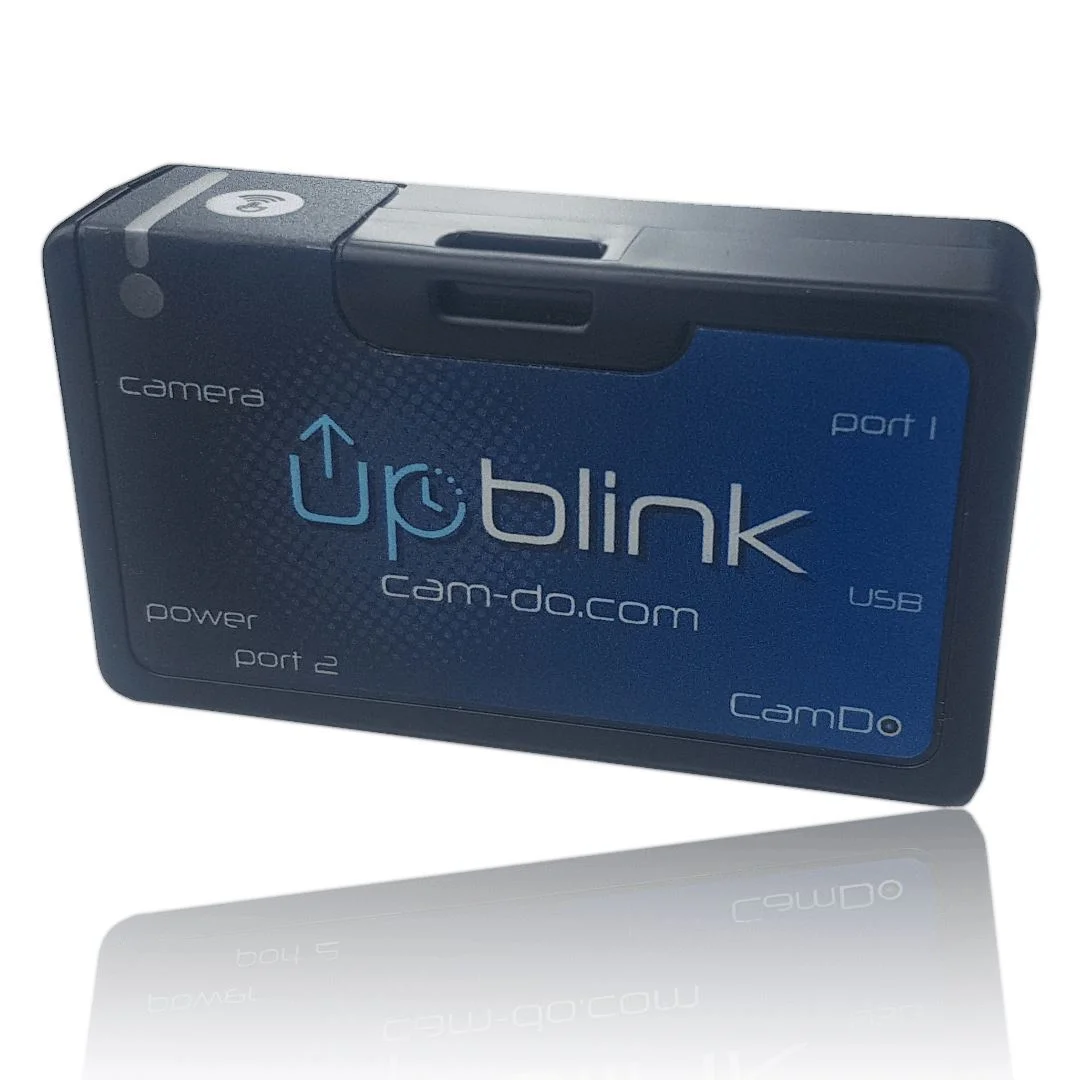
Time lapse controller for GoPro and Sony Upload and trigger HERO12,11,10 & 5 / Sony RX0 II or trigger HERO5, 6, 7, & 8. Web-app, low power & WiFi connectivity brings: Easy to use, 4K time lapse for less! About Compatibility FAQ's Support Return Policy Buy UpBlink in one of our Construction Time Lapse packs . build Quick & Easy Set-Up Get UpBlink up and running in less than 2 minutes. Read the quick start guide here . Typically used with our Outdoor Enclosures which can house extra battery packs and/or solar panels. settings_applications Simple Configuration for Complete Control Intuitive web interface makes scheduling UpBlink a breeze. Customize a daily or weekly schedule to program up to 4 separate schedules for time lapse using photo, day, night, burst or video modes. Set flexible cloud upload schedules. power Low Power Consumption UpBlink powers your Sony or GoPro camera down between intervals, increasing the battery life significantly and giving you the ability to undertake long term time lapse sequences. email CloudX Image Upload and Email Notifications Using CloudX, receive an e-mail every day to confirm your system is still operating and provide piece of mind your system is working. how many shots were taken since the last e-mail what is the SD card status Set a cloud upload schedule. Upload via a local WiFi network or via an external compatible hotspot (see the FAQ's for suggestions) plugged into the USB-A port of UpBlink. Upload all images or flexible upload options to conserve bandwidth including: Lower resolution uploads Latest image only photo_camera No Camera Firmware Update Required UpBlink doesn’t require any special camera firmware update. Just ensure your GoPro camera is up to date with the latest firmware from the GoPro website or through the GoPro App for iOS and Android. date_range Long Term Time Lapse Couple UpBlink with our SolarX or DryX for long term time lapse solutions. Also, check out our Time Lapse Solutions page for more information on all the parts you need for those longer term projects. new_releases Features of UpBlink Here are all the advantages of UpBlink: Compatible with Sony RX0 II and GoPro HERO5/10/11/12 Black for uploading images to CloudX Pro. Also compatible with Sony RX0 II and HERO5, HERO6, HERO7, and HERO8 Black for triggering and storing on the SD card. Camera WiFi Control (for manual download of footage or aligning setup through GoPro app). Time and Date Scheduling (Allows camera to be set up before a project starts without consuming power to capture unneeded footage or adjusting interval times between set dates). On board Real Time Clock (Holds date/time if left unpowered for up to 2 years). Upload images to the CloudX Pro time lapse platform (via wifi or external USB modem). Improved user gopro web interface (web based setup on your device). Universal strap mount (allows for mounting in multiple ways). Check out our time lapse blog posts to see what our customers have achieved using UpBlink and other CamDo equipment like BlinkX. All the power of Blink and BlinkX but with the power of upload! Use UpBlink to achieve long term time lapse and/or motion detection (coming soon) for your next project. Just plug it into your Sony or GoPro and use the UpBlink app to connect and configure separate schedules (including email scheduling) using a smartphone, tablet, computer, or any WiFi enabled device which has a web browser (app connection is directly with UpBlink so no cell service or internet connection required). For more information, see the Quick Start Guide and User Manual . A WiFi network or a data hotspot is required (see below) with internet access is only required if you would like to use our optional Blink Email feature to provide daily status updates straight to your inbox. If you are looking at a long term time lapse you may be interested in our Construction Time Lapse packs which incorporate weatherproof enclosures external solar power for long term deployment or where finding a power supply is difficult or expensive. Compatible with the Sony RX0 series and GoPro HERO5/10/11/12 cameras. For GoPro HERO4 and HERO3+ Black cameras, please use our Blink product . If you don't need upload, use HERO5, 6, 7, or 8. Camera Compatibility ( Y / N ) GoPro HERO10/11/12 ✔ Sony RX0 / RX0 II ✔ HERO6/7/8 Black Trigger only, no Upload HERO 2018 ✘ HERO5 Black ✔ HERO5 Session ✘ HERO4 Black ✘ HERO4 Silver ✘ HERO4 Session ✘ HERO (2014) ✘ HERO3+ Black ✘ HERO3+ Silver ✘ HERO3 Black ✘ HERO3 Silver ✘ HERO3 White ✘ HERO2 ✘ HERO ✘ Frequently Asked Questions Is there a video for the UpBlink setup process? Below is a full setup video for UpBlink with our outdoor enclosures. You can also view other helpful instructional videos in the “ Support ” section. Is an internet connection required to use UpBlink? Internet is required to support CloudX features, including the upload of footage for remote viewing on the CloudX server. However, programming schedules to capture footage does not require the internet. UpBlink's capture schedules are programmed via a local WiFi Access Point using a smartphone or computer. How does UpBlink connect to the internet? UpBlink can receive the internet signal from either a 2.4GHz WiFi network or from a "USB Ethernet device" connected to the USB-A port of UpBlink. The internet information is entered into the Upload Schedule in the UpBlink web UI. If using a USB modem, plug the compatible modem into the USB-A port of UpBlink (see below). If the USB modem connects as an "Ethernet device", select "Internet via USB" in the UpBlink web UI. If the USB modem broadcasts a WiFi hotspot, select "WiFi (Standard)" in the UpBlink web UI then enter the WiFi details of the hotspot. How is the USB hotspot powered? UpBlink can control power to the hotspot via the USB-A port incorporated, therefore only turning on the hotspot when upload is scheduled to conserve power. A USB modem with an internal battery should not be powered from UpBlink's port since the modem's battery will only charge when an upload schedule is active. We have some suggested hotspots listed here but generally any 3G or 4G USB stick hotspot that creates a wifi network will work. What USB hotspots do you recommend? Please refer to the UpBlink manual here for the latest modem listing. Any USB powered hotspot that plugs into a USB-A port for power (with no internal battery) and creates a local WiFi network should be suitable, however, there are some hotspots that are very power hungry and will not work such as the 'Jetpack' series of modems. UpBlink connects via WiFi to the hotspot to then upload footage. There are many hotspots available in different parts of the world and there are different models being released all the time. We would love to hear which USB wifi hotspot you have used successfully. WiFi hotspots with an internal battery that can be removed may be suitable, but you will have to test if the hotspot automatically turns on, when powered via the hotpot's USB charging port. This is because UpBlink turns power off to the hotspot between upload intervals to save power. Can UpBlink connect to the internet from an Ethernet cable? UpBlink does not have an Ethernet port to directly connect the cable. However, a USB to Ethernet adapter can be used to provide an internet signal from an Ethernet cable via UpBlink's USB port. Does someone require a subscription to use the file upload feature (in addition to unit purchase?) Yes, CloudX Pro. What is the benefit to buying UpBlink? UpBlink with CloudX Pro provides status email notifications + image upload. Images can be viewed through the CloudX Pro web portal. Is UpBlink compatible with the GoPro Plus upload feature? No. The following link outlines the options available for downloading footage from the GoPro camera during a time lapse when using our UpBlink time lapse controller: https://cam-do.com/pages/how-to-download-your-gopro-time-lapse-footage-with-UpBlink What are the dimensions of UpBlink? UpBlink measures 85x50x22mm (3.3"x1.9"x0.85"). Can I have a time lapse and video simultaneously? UpBlink allows for multiple schedules to be active at a time. Videos can be recorded inbetween photo events, but the GoPro can not capture a photos while currently recording and vice versa. What happens if there is a conflict between schedules? If multiple schedules have been set and there is a conflict between the camera triggering time, priority is given to the lower numbered schedule. For example, schedule 1 has priority over schedule 2. While a schedule with a set duration is active, such as a video recording, any other schedule that is set to trigger will be skipped until the active schedule is complete. How does UpBlink control the GoPro HERO10/11? The GoPro HERO10 and HERO11 cameras require the installation of the GoPro Labs firmware with a QR code to gain control of the Camera's power state. For the UpBlink compatible QR code to function, the GoPro battery MUST be removed from the camera. Does the HERO11 that CamDo offers, come with the GoProLabs Firmware pre-installed? Yes, it does come pre-installed, activated, and tested with v2.10.70[March 2023] of the GoPro Labs firmware. How does UpBlink attach to the GoPro HERO5? UpBlink communicates with the USB-C port on the side of the GoPro camera or Sony Multiport using the included fully populated USB-C cable. UpBlink is designed to accommodate a strap to secure inside our outdoor enclosures, or connect the mounting knuckle to the 2pin pivot mount of GoPro camera/housings. What housings does CamDo offer that have space for UpBlink and external battery packs? UpBlink is typically used with our DryX and SolarX Outdoor Weatherproof Enclosures. These enclosures have space to house extra batteries and come with two power options, a 9Watt solar panel , or without a solar panel that is normally used for shorter deployments, when you can return regularly to recharge the batteries or if you have a permanent power supply available. The Outdoor Enclosures have space to fit up to two of our V50 battery packs. How long will the battery last if I shoot some number of photos per hour? Calculating battery life is non-trivial. It depends on the camera model, firmware version, SD card speed, lighting conditions, battery size, age of the battery, ambient temperature, and more. To help you understand the issues and to calculate estimated battery life, consult the Camera Power Consumption Study and our Time Lapse Calculator . If I know approximately how long my project is, how do I determine the ideal interval between triggers? The ideal shooting interval is normally determined by the length of the final time lapse video clip, capacity of the SD card or battery capacity available. Our Time Lapse Calculator can be used to help determine the ideal interval between photos as determined by these variables. Why is "Always On" mode for batteries important? Since UpBlink turns the camera off between triggers to conserve power, Always On mode is important to prevent the battery from automatically turning off due to periods of inactivity. Most of the USB battery packs on the market have an automatic power saving feature which turns off the battery if the battery is not constantly supplying power to a device. If the GoPro is turned off for more than a few minutes between triggers, the external battery might automatically shutdown due to inactivity. Our V50 has Auto Always On mode. The Always On mode prevents the battery from automatically turning off when insufficient current is being drawn due to the camera being turned off by UpBlink to conserve power. Does UpBlink retain the shooting schedule when power is removed or lost? When all power is removed, UpBlink will retain the programmed shooting schedule as well as the clock time and date settings. When power is restored to UpBlink, it will resume the programmed shooting schedules. Can I switch the SD card in the middle of a time lapse schedule? Yes, the SD card is "hot swappable". If an interval occurs when the SD card is out of the GoPro, UpBlink will continue the shooting schedule by triggering the camera to turn on and off, however, no image will be taken since there is no SD card to save the image to. How do I change UpBlink's shooting schedule in the middle of a project? UpBlink's WiFi signal can be turned on or off by pressing the on-board WiFi button for 3seconds. UpBlink's WiFi only remains active for 15 minutes to program the new settings before the WiFi is automatically turned off to conserve power. If the camera is not easily accessible, we offer a Wired Remote that can be attached to UpBlink's 2.5mm Port1 for re-triggering the WiFi signal, as well as 2.5mm Extension Cables if a longer distance trigger is needed. What can I connect to the circular jacks on my UpBlink? Please connect only CamDo-approved accessories to these jacks unless you are experienced. Do not connect other equipment, especially voltage sources such as your solar panel or battery, to these jacks. Doing so could damage your UpBlink or camera. Port1 on UpBlink can be used to activate UpBlink's WiFi signal using a wired remote (purchased separately). UpBlink's Port2 is used for Motion Detection operation and information about this port is located in our Blink User Manual . Please read our series of blog posts to understand how to connect custom hardware or interface a microcontroller such as an Arduino or Raspberry Pi. Does UpBlink work with your Battery Eliminators? UpBlink does not require a Battery Eliminator and it is not compatible with our Battery Eliminators which are for earlier generation cameras. What does UpBlink weigh? UpBlink weighs about 19g. This compares to a GoPro HERO5 Black camera at 117g. General support can be found on our Support pages here. UpBlink Quick Start Guide UpBlink User Manual Download UpBlink Firmware Update and View Log of Version Changes UpBlink Troubleshooting Guide Time Lapse Calculator How to Create and Edit a Time Lapse Video using GoPro Studio Getting Started with Time Lapse Solutions General Time Lapse Information Time Lapse Footage and Support Video Resources How to set-up your UpBlink controller Also read the FAQ's tab for more information. What is your return/exchange/warranty policy? A: We have a 15 day return policy for unused products. Product must be in original packaging and in new condition. For orders (over $1,500) and/or physically larger items (e.g. enclosures), a restocking fee of 10% will apply. Return shipping is the responsibility of the customer. If the product is opened or used, the product can be returned within 15 days (except SD Cards and GoPro cameras which cannot be returned once opened). A 20% restocking fee will apply for refurbishing opened product. Return shipping is the responsibility of the customer. If you are having trouble with the product, make sure you check our support area on the website for our Quick Start Guides and Product Documentation. Should you need additional help please contact [email protected] however, please ensure you have submitted all of the information in the form first as our support team will ask for this information on our first reply email and it will save time: https://cam-do.com/search?type=page&q=ticket+support&view=search-support&submit=Search Should you consider the product be faulty you can request to return the product within 6 months for our assessment. If the product is confirmed to be faulty by CamDo, return shipping costs will be refunded along with a full product refund (except SD Cards and GoPro cameras which cannot be returned once opened). Should the returned items be confirmed functional, a 25% restocking fee will apply to the refund. To initiate a return or exchange, please contact [email protected] to receive an RMA number. Do not ship a product back to us without an RMA number. We will examine all returned items to confirm their condition and contact you regarding the status of your refund. Upon acceptance, please allow 2-3 weeks for the refund to process once the item is received. We cannot support IT/wifi network/router/modem issues as there are too many variables. Please talk to your IT department/specialist/support team. Any dismantling or modification(s) to CamDo products will void any warranty and cannot be returned. GoPro products: HERO5 camera warranty issues are to be handled directly with CamDo. Any warranty issues with HERO6, HERO7, HERO8 and HERO9 cameras are to be handled directly between the customer and GoPro USA. Check out their warranty page here . LumeCube products: Any warranty issues with LumeCube products are to be handled directly between the customer and LumeCube USA. Just email [email protected] and they will take it from there. Check out their warranty page here . Both GoPro and LumeCube are very responsive and is how their distribution model works - it is much quicker to get warranty response by emailing them directly. EQUIPMENT PERFORMANCE LIMITATIONS CamDo equipment is not fault-tolerant and not designed, manufactured or intended for use in extreme temperature or weather conditions, security surveillance, life support, emergency situations, hazardous or mission critical activities. You use CamDo equipment at at your own discretion and risk. LIMITATION ON LIABILITY The replacement warranty is as per the warranty section above. In addition, the replacement warranty is the whole and sole liability for the product. There are no other warranties, expressed or implied. Use of CamDo products confirms your agreement that CamDo Solutions Inc and its distributors will not be liable for any damages from or relating to CamDo Solutions Inc products. Please also note the Equipment Performance Limitations above. gopro-motion-detector-x-band-sensor-with-cable-for-blink Product Code: CBL02 settings_remote X-Band Motion Detector for UpBlink COMPATIBILITY COMING SOON Add a motion detector to UpBlink to only trigger the camera on movement. Motion detection can be used for security camera applications, wildlife photography, and for recording events where a person or other objects, such as a car or truck, moves past the camera from time to time. Our X-Band Motion Sensor is an active device powered by UpBlink’s 3.5mm Port2 connection, which bounces 10.5Ghz microwave signals to determine if motion has occurred. Microwaves do not rely on heat so the moving object does not need to be warm to trigger the sensor, unlike a PIR sensor. Microwaves will also pass through glass and plastic, so the X-Band sensor can be mounted behind a window or inside an opaque weatherproof box for use outdoors such as our DryX / SolarX enclosures. The range of the X-Band sensor is adjustable from 8 to 30 feet (2-10m). Actual distances will depend on the environment and mounting configurations.


The marine grade aluminum swivel mount kit consists of a 6" long straight swing arm on a vertical mounting base for attachment to a flat or rounded surface such as a wall or post. The opposing end is a ball socket used with the 1.5" ball mount plate that can be attached to our SolarX or DryX outdoor enclosure for ultimate aiming flexibility. The swing arm pivot allows for full 360-degree rotation and the ball and socket system allows a 360-degree rotation with a 180-degree pivot. There is an insert on the vertical mounting plate to allow solid mounting to a flat surface like a building or a rounded surface such as a pole or rail. Included in the kit: Swivel Arm bracket Ball mount plate with 2.75" hole spacing for attachment to our SolarX/DryX enclosure with associated 1/4"-20 screws Set of hex nuts that are used as optional replacement for the hand cranked knobs. Once aiming is complete, when using the hex nuts, the use of a tool to loosen is required; this improves security and reduces the chances of tampering The mount is the perfect complement to our SolarX and DryX outdoor enclosures and is included as an option with our Construction Time Lapse kits . Product Code: MSM01

Time lapse controller for GoPro HERO4 and HERO3+ Black. Web-app, low power & WiFi brings: Easy to use, 4K time lapse for less! For the HERO5, see our latest Blink X controller. About Compatibility FAQ's Support Return Policy build Quick & Easy Set-Up Get Blink up and running in less than 2 minutes. Read the quick start guide here . While typically used with our Outdoor Enclosures to also house extra battery packs, Blink will also fit inside the extended backdoors included in the GoPro Back Door Kit that are designed to fit GoPro BacPac accessories. settings_applications Simple Configuration for Complete Control Intuitive web interface makes scheduling Blink a breeze. Customize a daily or weekly schedule to program up to 10 separate schedules for either time lapse or motion detection in photo, day, night, burst or video modes. power Low Power Consumption Blink powers your GoPro camera down between intervals, increasing the battery life significantly and giving you the ability to undertake long term time lapse sequences. Blink can be powered from the GoPro battery and does not require a separate power source. email CloudX Lite Email Notifications - Two Weeks Free Blink can e-mail you every day to confirm it is still operating - how many shots were taken since the last e-mail, what is the GoPro's battery status, what is the SD card status, how many motion detector events activated - everything to give you peace of mind your system is working. Read more here . photo_camera No Camera Firmware Update Required Unlike our previous products (Programmable Scheduler, Time Lapse Intervalometer, and previous Motion Detector products), Blink doesn’t require a complicated camera firmware update process. Just ensure your HERO3+ or HERO4 camera is up to date with the latest firmware from the GoPro website or through the GoPro App for iOS and Android. settings_remote Motion Detection Motion detection schedules can be programmed to only be active only during certain times of day to avoid capturing unneeded footage and conserve power. Motion detectors compatible with Blink are now available here . date_range Long term time lapse Couple Blink with our SolarX or DryX enclosures for long term time lapse solutions. Also, check out our Time Lapse Solutions page for more information on all the parts you need for those longer term projects. If you are new to Time Lapse, we recommend starting on our Getting Started with Time Lapse page . Also check out our time lapse blog posts to see what our customers have achieved using Blink and other CamDo equipment. Use Blink to achieve long term time lapse or motion detection for your next project. Just plug it into your GoPro and use the Blink app to connect and configure up to 10 separate time lapse schedules using a smartphone, tablet, computer, or any WiFi enabled device which has a web browser (no cell service or internet connection required). For more information, see the Quick Start Guide and User Manual . Also check out our tutorial videos for a quick overview of the user interface. A WiFi network with internet access is only required if you would like to use our optional Blink Email status feature to provide daily status updates. If you are looking at a long term time lapse you may be interested in our construction time lapse packs which incorporate an external solar system for long term deployment or where finding a power supply is difficult or expensive. Compatible with the GoPro HERO3+ Black and HERO4 Black/Silver cameras. Note - Blink may work with HERO3+ Silver cameras but is not officially supported by CamDo due to the general unreliability of the HERO3+ Silver cameras as they get older. Please use our Time Lapse Intervalometer for older camera models . For GoPro HERO5 Black and HERO5 Session cameras, please use our BlinkX product. Camera Compatibility ( Y / N ) HERO5 Black Use BlinkX HERO5 Session Use BlinkX HERO4 Black ✔ HERO4 Silver ✔ HERO4 Session ✘ HERO (2014) ✘ HERO3+ Black ✔ HERO3+ Silver ✘ HERO3 Black ✘ HERO3 Silver ✘ HERO3 White ✘ HERO2 ✘ HERO ✘ Frequently Asked Questions Can I have a time lapse and motion detection simultaneously? Yes, Blink allows for multiple schedules to be active at a time. What happens if there is a conflict between schedules? If multiple schedules have been set and there is a conflict between the camera triggering time, priority is given to the lower numbered schedule. For example, schedule 1 has priority over schedule 2. While a schedule with a set duration is active, such as a video recording, any other schedule that is set to trigger will be skipped until the active schedule is complete. Does Blink fit inside the standard GoPro housings? Yes, if housing external batteries is not an issue, Blink can be used with the GoPro Frame Mount or the extended backdoors included in the GoPro Back Door Kit that are designed to clip into the standard housing to provide space to fit GoPro BacPac accessories. What housings does CamDo offer that have space for Blink and external battery packs? Blink is typically used with our Outdoor Enclosures to also house extra batteries and come with two power options, a 9Watt solar panel , or without a solar panel that is normally used for shorter deployments, when you can return regularly to recharge the batteries. The Outdoor Enclosures have space to fit up to two of our V44 (44watt-hour) battery packs. If you require a waterproof solution, our aluminum Deep underwater housing allows for use of Blink and the GoPro to a depth of 2000ft, while the DeepEXT housing extension can fit up to three V15 (15watt-hour) battery packs. How long will the battery last if I shoot some number of photos per hour? Calculating battery life is non-trivial. It depends on the camera model, firmware version, SD card speed, lighting conditions, battery size, age of the battery, ambient temperature, and more. To help you understand the issues and to calculate estimated battery life, consult the Camera Power Consumption Study and our Time Lapse Calculator . If I know approximately how long my project is, how do I determine the ideal interval between triggers? The ideal shooting interval is normally determined by the length of the final time lapse video clip, capacity of the SD card or battery capacity available. Our Time Lapse Calculator can be used to help determine the ideal interval between photos as determined by these variables. Why is "Always On" mode for batteries important? Since Blink turns the camera off between triggers to conserve power, Always On mode is important to prevent the battery from automatically turning off due to periods of inactivity. Most of the USB battery packs on the market have an automatic power saving feature which turns off the battery if the battery is not constantly supplying power to a device. If the GoPro is turned off for more than a few minutes between triggers, the external battery might automatically shutdown due to inactivity. However, our V15 and V44 have two modes of operation, the standard Auto Off mode and an Always On mode. The Always On mode prevents the battery from automatically turning off when insufficient current is being drawn due to the camera being turned off by Blink to conserve power. Does Blink retain the shooting schedule when power is removed or lost? When all power is removed, Blink will retain the programmed shooting schedule. However, Blink does not have an internal battery to retain the time and date settings. When power is restored to Blink, it will determine the clock time and date information from the GoPro camera. Can I switch the SD card in the middle of a time lapse schedule? Yes, the SD card is "hot swappable". If an interval occurs when the SD card is out of the GoPro, Blink will continue the shooting schedule by triggering the camera to turn on and off, however, no image will be taken since there is no SD card to save the image to. How do I change Blink's shooting schedule in the middle of a project? Blink's WiFi can be turned on or off by using the supplied push button remote plugged into the board's 2.5mm input. Blink's WiFi only remains active for 15 minutes to program the new settings before the WiFi is automatically turned off to conserve power. If the camera is not easily accessable, we offer 2.5mm Extension cables that can be left attached to Blink's 2.5mm port for re-triggering the WiFi signal. Can I schedule a time lapse with an interval less than 60seconds between images? Yes, shorter intervals can be achieved on the HERO4 camera by using the GoPro's native "time lapse video" setting to allow the capture of 0.5 , 1, 2, 5, 10, 30, and 60 seconds between images as explained here: https://cam-do.com/pages/blink-troubleshooting-guide#short-interval What can I connect to the circular jacks on my Blink? Blink's Port1 is used to activate the Blink's WiFi signal and is typically used with the included wired remote. Blink's Port2 is used for Motion Detection operation and information about this port is located in our Blink User Manual . Please connect only CamDo-approved accessories to these jacks unless you are experienced. Do not connect other equipment, especially voltage sources such as your solar panel or battery, to these jacks. Doing so could damage your BlinkX or camera. Please read our series of blog posts to understand how to connect custom hardware or interface a microcontroller such as an Arduino or Raspberry Pi. Does Blink work with your Battery Eliminators? Blink is not compatible with our Battery Eliminators. What does Blink weigh? Blink weighs 19g. This compares to a GoPro camera at 87g plus the GoPro extended enclosure at 71g. General support can be found on our Support pages here. Blink Quick Start Guide Blink User Manual Download Blink Firmware Update and View Log of Version Changes Blink Troubleshooting Guide Time Lapse Calculator How to Download Time Lapse Footage How to Create and Edit a Time Lapse Video using GoPro Studio Getting Started with Time Lapse Solutions General Time Lapse Information Also read the FAQ's tab for more information. What is your return/exchange/warranty policy? A: We have a 15 day return policy for unused products. Product must be in original packaging and in new condition. For orders (over $1,500) and/or physically larger items (e.g. enclosures), a restocking fee of 10% will apply. Return shipping is the responsibility of the customer. If the product is opened or used, the product can be returned within 15 days (except SD Cards and GoPro cameras which cannot be returned once opened). A 20% restocking fee will apply for refurbishing opened product. Return shipping is the responsibility of the customer. If you are having trouble with the product, make sure you check our support area on the website for our Quick Start Guides and Product Documentation. Should you need additional help please contact [email protected] however, please ensure you have submitted all of the information in the form first as our support team will ask for this information on our first reply email and it will save time: https://cam-do.com/search?type=page&q=ticket+support&view=search-support&submit=Search Should you consider the product be faulty you can request to return the product within 6 months for our assessment. If the product is confirmed to be faulty by CamDo, return shipping costs will be refunded along with a full product refund (except SD Cards and GoPro cameras which cannot be returned once opened). Should the returned items be confirmed functional, a 25% restocking fee will apply to the refund. To initiate a return or exchange, please contact [email protected] to receive an RMA number. Do not ship a product back to us without an RMA number. We will examine all returned items to confirm their condition and contact you regarding the status of your refund. Upon acceptance, please allow 2-3 weeks for the refund to process once the item is received. We cannot support IT/wifi network/router/modem issues as there are too many variables. Please talk to your IT department/specialist/support team. Any dismantling or modification(s) to CamDo products will void any warranty and cannot be returned. GoPro products: HERO5 camera warranty issues are to be handled directly with CamDo. Any warranty issues with HERO6, HERO7, HERO8 and HERO9 cameras are to be handled directly between the customer and GoPro USA. Check out their warranty page here . LumeCube products: Any warranty issues with LumeCube products are to be handled directly between the customer and LumeCube USA. Just email [email protected] and they will take it from there. Check out their warranty page here . Both GoPro and LumeCube are very responsive and is how their distribution model works - it is much quicker to get warranty response by emailing them directly. EQUIPMENT PERFORMANCE LIMITATIONS CamDo equipment is not fault-tolerant and not designed, manufactured or intended for use in extreme temperature or weather conditions, security surveillance, life support, emergency situations, hazardous or mission critical activities. You use CamDo equipment at at your own discretion and risk. LIMITATION ON LIABILITY The replacement warranty is as per the warranty section above. In addition, the replacement warranty is the whole and sole liability for the product. There are no other warranties, expressed or implied. Use of CamDo products confirms your agreement that CamDo Solutions Inc and its distributors will not be liable for any damages from or relating to CamDo Solutions Inc products. Please also note the Equipment Performance Limitations above. Product Code: CBL01

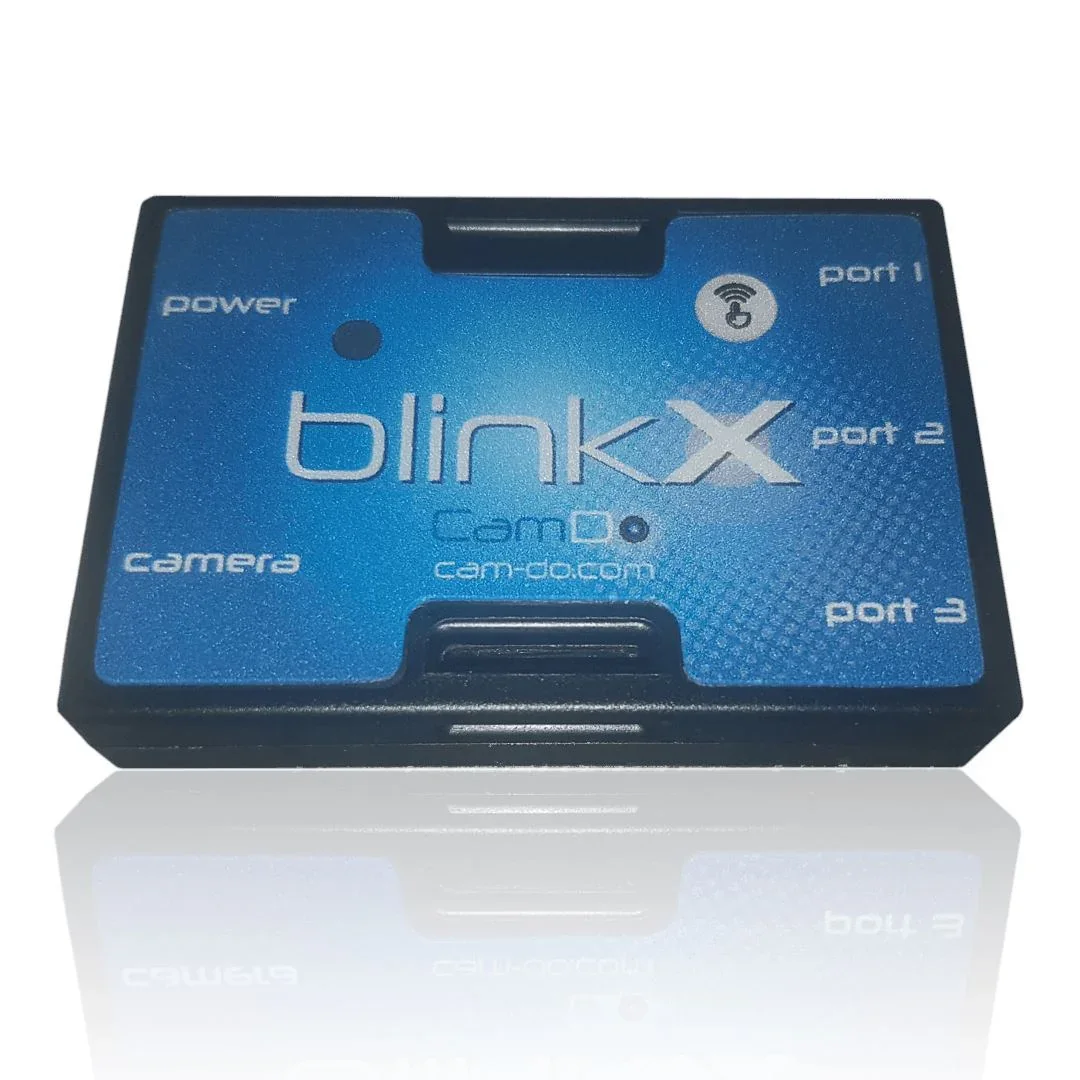
DISCONTINUED. CHECK OUT OUR UPBLINK CONTROLLER FOR ALL YOUR CAMERA CONTROL NEEDS. blink X Time lapse controller for GoPro HERO8, HERO7, HERO6 & HERO5. Web-app, low power & WiFi brings: Easy to use, 4K time lapse for less! About Compatibility FAQ's Support Return Policy If you are new to Time Lapse, we recommend starting on our Getting Started with Time Lapse page . build Quick & Easy Set-Up Get BlinkX up and running in less than 2 minutes. Read the quick start guide here . Typically used with our Outdoor Enclosures which can house extra battery packs and/or solar panels. settings_applications Simple Configuration for Complete Control Intuitive web interface makes scheduling BlinkX a breeze. Customize a daily or weekly schedule to program up to 10 separate schedules for either time lapse or motion detection in photo, day, night, burst or video modes. power Low Power Consumption BlinkX powers your GoPro camera down between intervals, increasing the battery life significantly and giving you the ability to undertake long term time lapse sequences. email CloudX Lite Email Notifications - Two Weeks Free BlinkX can e-mail you every day to confirm it is still operating - how many shots were taken since the last e-mail, what is the battery status, what is the SD card status, how many motion detector events activated - everything to give you peace of mind your system is working. Read more here . photo_camera No Camera Firmware Update Required BlinkX doesn’t require any special camera firmware update. Just ensure your GoPro HERO7, HERO6, or HERO5 camera is up to date with the latest firmware from the GoPro website or through the GoPro App for iOS and Android. settings_remote Motion Detection Motion detection schedules can be programmed to only be active only during certain times of day to avoid capturing unneeded footage and conserve power. Motion detection can be used independently and simultaneously with time lapse schedules. Motion detectors compatible with BlinkX are now available here . date_range Long term time lapse Couple BlinkX with our SolarX or DryX for long term time lapse solutions. Also, check out our Time Lapse Solutions page for more information on all the parts you need for those longer term projects. new_releases New features of Blink X Here are all the new advantages of BlinkX over Blink: Compatible with GoPro HERO7 HERO6 & HERO5. Camera WiFi Control (for manual download of footage or aligning setup through GoPro app). Time and Date Scheduling (Allows camera to be set up before a project starts without consuming power to capture unneeded footage or adjusting interval times between set dates). On board Real Time Clock (Holds date/time if left unpowered for up to 2 years). Improved user interface (web based setup on your device). Universal strap mount (allows for mounting in multiple ways). Check out our time lapse blog posts to see what our customers have achieved using BlinkX and other CamDo equipment. If you liked Blink for HERO4 , you'll love Blink X for HERO7/6/5 with powerful improvements including lower power consumption, advanced date scheduling and more! Use BlinkX to achieve long term time lapse and/or motion detection for your next project. Just plug it into your GoPro and use the BlinkX app to connect and configure up to 10 separate schedules (including email scheduling) using a smartphone, tablet, computer, or any WiFi enabled device which has a web browser (no cell service or internet connection required). For more information, see the Quick Start Guide and User Manual . A WiFi network with internet access is only required if you would like to use our optional Blink Email feature to provide daily status updates straight to your inbox. If you are looking at a long term time lapse you may be interested in our BlinkX time lapse packs which incorporate weatherproof enclosures external solar power for long term deployment or where finding a power supply is difficult or expensive. Compatible with the GoPro HERO5, HERO6, HERO7 and HERO8 camera models as listed below. For GoPro HERO4 and HERO3+ Black cameras, please use our Blink product . Camera Compatibility ( Y / N ) HERO8 Black ✔ v1.5 firmware only (download) Installation instructions here. HERO7 Black ✔ HERO6 Black ✔ HERO5 Black ✔ HERO5 Session ✔ HERO4 Black ✘ HERO4 Silver ✘ HERO4 Session ✘ HERO (2014) ✘ HERO3+ Black ✘ HERO3+ Silver ✘ HERO3 Black ✘ HERO3 Silver ✘ HERO3 White ✘ HERO2 ✘ HERO ✘ Frequently Asked Questions Is BlinkX compatible with the GoPro Plus upload feature? No. The following link outlines the options available for downloading footage from the GoPro camera during a time lapse when using our BlinkX time lapse controller: https://cam-do.com/pages/how-to-download-your-gopro-time-lapse-footage-with-blinkx Can I have a time lapse and motion detection simultaneously? Yes, BlinkX allows for multiple schedules to be active at a time. What happens if there is a conflict between schedules? If multiple schedules have been set and there is a conflict between the camera triggering time, priority is given to the lower numbered schedule. For example, schedule 1 has priority over schedule 2. While a schedule with a set duration is active, such as a video recording, any other schedule that is set to trigger will be skipped until the active schedule is complete. How does BlinkX attach to the GoPro? BlinkX uses a USB-C connection to communicate with the GoPro camera. BlinkX is approximately the same height and width as the HERO7, and is designed to accommodate straps to attach to the camera or to our enclosures. What are the dimensions of BlinkX? BlinkX measures 64.5x44x12.7mm (2.54"x1.73"x0.5"). What housings does CamDo offer that have space for BlinkX and external battery packs? BlinkX is typically used with our Outdoor Enclosures to also house extra batteries and come with two power options, a 9Watt solar panel , or without a solar panel that is normally used for shorter deployments when you can return regularly to recharge the batteries. The Outdoor Enclosures have space to fit up to two of our V44 (44watt-hour) battery packs. How long will the battery last if I shoot some number of photos per hour? Calculating battery life is non-trivial. It depends on the camera model, firmware version, SD card speed, lighting conditions, battery size, age of the battery, ambient temperature, and more. To help you understand the issues and to calculate estimated battery life, consult the Camera Power Consumption Study and our Time Lapse Calculator . If I know approximately how long my project is, how do I determine the ideal interval between triggers? The ideal shooting interval is normally determined by the length of the final time lapse video clip, capacity of the SD card or battery capacity available. Our Time Lapse Calculator can be used to help determine the ideal interval between photos as determined by these variables. Why is "Always On" mode for batteries important? Since BlinkX turns the camera off between triggers to conserve power, Always On mode is important to prevent the battery from automatically turning off due to periods of inactivity. Most of the USB battery packs on the market have an automatic power saving feature which turns off the battery if the battery is not constantly supplying power to a device. If the GoPro is turned off for more than a few minutes between triggers, the external battery might automatically shutdown due to inactivity. However, our V44 has two modes of operation, the standard Auto Off mode and an Always On mode. The Always On mode prevents the battery from automatically turning off when insufficient current is being drawn due to the camera being turned off by BlinkX to conserve power. Does BlinkX retain the shooting schedule when power is removed or lost? When all power is removed, BlinkX will retain the programmed shooting schedule as well as the clock time and date settings. When power is restored to BlinkX, it will resume the programmed shooting schedules. Can I switch the SD card in the middle of a time lapse schedule? Yes, the SD card is "hot swappable". If an interval occurs when the SD card is out of the GoPro, BlinkX will continue the shooting schedule by triggering the camera to turn on and off, however, no image will be taken since there is no SD card to save the image to. How do I change BlinkX's shooting schedule in the middle of a project? BlinkX's WiFi signal can be turned on or off by pressing the on-board WiFi button for 3 seconds. BlinkX's WiFi only remains active for 15 minutes to program the new settings before the WiFi is automatically turned off to conserve power. If the camera is not easily accessible, we offer a Wired Remote that can be attached to BlinkX's 2.5mm Port1 for re-triggering the WiFi signal, as well as 2.5mm Extension Cables if a longer distance trigger is needed. What can I connect to the circular jacks on my BlinkX? Please connect only CamDo-approved accessories to these jacks unless you are experienced. Do not connect other equipment, especially voltage sources such as your solar panel or battery, to these jacks. Doing so could damage your BlinkX or camera. BlinkX's Port1 is used as an alternate trigger to activate the Blink's WiFi signal via a wired remote (purchased separately). BlinkX's Port2 is used for Motion Detection operation and information about this port is located in our Blink User Manual . Please read our series of blog posts to understand how to connect custom hardware or interface a microcontroller such as an Arduino or Raspberry Pi. Does BlinkX work with your Battery Eliminators? BlinkX does not require a Battery Eliminator and it is not compatible with our Battery Eliminators which are for earlier generation cameras. What does BlinkX weigh? BlinkX weighs 19g. This compares to a GoPro HERO5 Black camera at 117g or the GoPro HERO5 Session at 74g. General support can be found on our Support pages here. BlinkX Quick Start Guide BlinkX User Manual Download BlinkX Firmware Update and View Log of Version Changes BlinkX Troubleshooting Guide Time Lapse Calculator How to Download BlinkX Time Lapse Footage How to Create and Edit a Time Lapse Video using GoPro Studio Getting Started with Time Lapse Solutions General Time Lapse Information Also read the FAQ's tab for more information. What is your return/exchange/warranty policy? A: We have a 15 day return policy for unused products. Product must be in original packaging and in new condition. For orders (over $1,500) and/or physically larger items (e.g. enclosures), a restocking fee of 10% will apply. Return shipping is the responsibility of the customer. If the product is opened or used, the product can be returned within 15 days (except SD Cards and GoPro cameras which cannot be returned once opened). A 20% restocking fee will apply for refurbishing opened product. Return shipping is the responsibility of the customer. If you are having trouble with the product, make sure you check our support area on the website for our Quick Start Guides and Product Documentation. Should you need additional help please contact [email protected] however, please ensure you have submitted all of the information in the form first as our support team will ask for this information on our first reply email and it will save time: https://cam-do.com/search?type=page&q=ticket+support&view=search-support&submit=Search Should you consider the product be faulty you can request to return the product within 6 months for our assessment. If the product is confirmed to be faulty by CamDo, return shipping costs will be refunded along with a full product refund (except SD Cards and GoPro cameras which cannot be returned once opened). Should the returned items be confirmed functional, a 25% restocking fee will apply to the refund. To initiate a return or exchange, please contact [email protected] to receive an RMA number. Do not ship a product back to us without an RMA number. We will examine all returned items to confirm their condition and contact you regarding the status of your refund. Upon acceptance, please allow 2-3 weeks for the refund to process once the item is received. We cannot support IT/wifi network/router/modem issues as there are too many variables. Please talk to your IT department/specialist/support team. Any dismantling or modification(s) to CamDo products will void any warranty and cannot be returned. GoPro products: HERO5 camera warranty issues are to be handled directly with CamDo. Any warranty issues with HERO6, HERO7, HERO8 and HERO9 cameras are to be handled directly between the customer and GoPro USA. Check out their warranty page here . LumeCube products: Any warranty issues with LumeCube products are to be handled directly between the customer and LumeCube USA. Just email [email protected] and they will take it from there. Check out their warranty page here . Both GoPro and LumeCube are very responsive and is how their distribution model works - it is much quicker to get warranty response by emailing them directly. EQUIPMENT PERFORMANCE LIMITATIONS CamDo equipment is not fault-tolerant and not designed, manufactured or intended for use in extreme temperature or weather conditions, security surveillance, life support, emergency situations, hazardous or mission critical activities. You use CamDo equipment at at your own discretion and risk. LIMITATION ON LIABILITY The replacement warranty is as per the warranty section above. In addition, the replacement warranty is the whole and sole liability for the product. There are no other warranties, expressed or implied. Use of CamDo products confirms your agreement that CamDo Solutions Inc and its distributors will not be liable for any damages from or relating to CamDo Solutions Inc products. Please also note the Equipment Performance Limitations above. gopro-motion-detector-x-band-sensor-with-cable-for-blink Product Code: CBL02 settings_remote X-Band Motion Detector for BlinkX Add a motion detector to BlinkX to only trigger the camera on movement. Motion detection can be used for security camera applications, wildlife photography, and for recording events where a person or other objects, such as a car or truck, moves past the camera from time to time. Our X-Band Motion Sensor is an active device powered by BlinkX/Blink’s 3.5mm Port2 connection, which bounces 10.5Ghz microwave signals to determine if motion has occurred. Microwaves do not rely on heat so the moving object does not need to be warm to trigger the sensor. Microwaves will also pass through glass and plastic, so the X-Band sensor can be mounted behind a window or inside an opaque waterproof box for use outdoors such as our DryX / SolarX enclsoures. The range of the X-Band sensor is adjustable from 8 to 30 feet (2-10m). Actual distances will depend on the environment and mounting configurations. You can read the full details here.

Product Code: ABE03 The CamDo 120-240VAC Battery Eliminator allows you to power the HERO3 and HERO3+ cameras by replacing the standard AHDBT-301 GoPro battery with a battery coupler. The included AC adapter converts AC mains power to a regulated DC output for powering the GoPro camera through the battery coupler. About Compatibility FAQ's Support Return Policy If you are using the GoPro camera for extended periods, it is better to power the camera with a Battery Eliminator instead of connecting it to the camera’s mini-USB charger. The AC Battery Eliminator includes a 1.1 amp AC adapter with an input range between 100-240 VAC, and a battery coupler the size of the standard AHDBT-301 battery used in all GoPro Hero 3 and 3+ models. The battery coupler snaps into the battery slot of all GoPro HERO3 and HERO3+ models and latches like the GoPro lid for a secure fit. Using a Battery Eliminator eliminates two sources of heat. The charging circuit in the camera and the battery itself, which gets warm while charging. Less heat makes the camera more reliable. Overheating can cause unexpected shutdown of the camera. A Battery Eliminator also bypasses the problems that some users have had with the GoPro charging logic causing the camera to freeze and require a reset when operating the camera while the battery is charging. Note that the battery coupler requires space for the cable to exit the back of the camera. Since Blink does not have a slot for the power cable to pass through, the 120VAC Battery Eliminator can not be used in combination with Blink . done_all Increases Reliability The Battery Eliminator prevents two sources of heat: the charging circuit in the camera and the battery itself, which gets warm while charging. Overheating can cause unreliable behavior or unexpected shutdown of the camera. Using our Battery Eliminator also prevents the camera from crashing if a problem occurs while the internal battery is charging. usb Frees up your camera’s USB port No more charging through the camera’s mini-USB port. Now your USB port is ready for camera data retrieval. power Simple to use, just add power Plug into an AC wall outlet, and connect to your camera’s HERO Port. Battery Coupler Specifications: Input Voltage : 4.3 VDC Output Voltage : 4.3 VDC, pass thought Input connector : 4.0 x 1.7mm Female DC connector (EIAJ-02) Output connector : GoPro HERO3 Battery Coupler Cable Length : 10" (254mm) AC Adapter Specifications: Input Voltage : 100 - 240 VAC Output Voltage : 4.3 VDC, regulated nominal Input connector : C8 "figure-8" connector Output connector : 4.0 x 1.7mm Male DC connector (EIAJ-02) Output Cable Length : 4'10" (1.47m) Includes Figure-8 to North American style 2 prong power input cable Camera Compatibility ( Y / N ) HERO5 ✘ HERO5 Session ✘ HERO4 Black ✘ HERO4 Silver ✘ HERO4 Session ✘ HERO (2014) ✘ HERO3+ Black ✔ HERO3+ Silver ✔ HERO3 Black ✔ HERO3 Silver ✔ HERO3 White ✔ HERO2 ✘ HERO ✘ Compatible with the GoPro HERO3 and HERO3+ cameras. Frequently Asked Questions Why Use Our Battery Eliminator? Our Battery Eliminator increases your camera’s reliability. It prevents two sources of heat: the charging circuit in the camera and the battery itself, which gets warm while charging. Overheating can cause unreliable behavior or unexpected shutdown of the camera. Using our Battery Eliminator also prevents the camera from crashing if a problem occurs while the internal battery is charging. Will the Coupler Style Battery Eliminator work with other CamDo accessories? The battery coupler replaces the GoPro camera’s internal battery, so it leaves the HERO Port open for accessories such as our Programmable Scheduler , Time Lapse Intervalometer , Bullet , or Dash . Blink cannot be used with our 120VAC Battery Eliminator since Blink does not have a slot for the cable to pass through. Does the Coupler Battery of the 120VAC Battery Eliminator have any voltage regulation? No. The Battery Coupler used with the 120VAC Battery Eliminator does not have any voltage regulaton and requires a 4.3VDC input that can be provided by the included AC adapter. Can the 120VAC Battery Eliminator be used with non-American wall outlets? Yes. The AC adapter takes an input voltage from 100 - 240VAC, so the figure-8 power cable can be replaced with another standard figure-8 power cable with the required wall connector. Alternatively, there are various adapters to convert from the North American 2-prong plug to other international standards. General support can be found on our Support pages here. Time Lapse Calculator General Time Lapse Information Average GoPro recording times in each video setting (limited by SD card capacity) HERO3+ Recording Size HERO3 Recording Size Also read the FAQ's tab for more information. What is your return/exchange/warranty policy? A: We have a 15 day return policy for unused products. Product must be in original packaging and in new condition. For orders (over $1,500) and/or physically larger items (e.g. enclosures), a restocking fee of 10% will apply. Return shipping is the responsibility of the customer. If the product is opened or used, the product can be returned within 15 days (except SD Cards and GoPro cameras which cannot be returned once opened). A 20% restocking fee will apply for refurbishing opened product. Return shipping is the responsibility of the customer. If you are having trouble with the product, make sure you check our support area on the website for our Quick Start Guides and Product Documentation. Should you need additional help please contact [email protected] however, please ensure you have submitted all of the information in the form first as our support team will ask for this information on our first reply email and it will save time: https://cam-do.com/search?type=page&q=ticket+support&view=search-support&submit=Search Should you consider the product be faulty you can request to return the product within 6 months for our assessment. If the product is confirmed to be faulty by CamDo, return shipping costs will be refunded along with a full product refund (except SD Cards and GoPro cameras which cannot be returned once opened). Should the returned items be confirmed functional, a 25% restocking fee will apply to the refund. To initiate a return or exchange, please contact [email protected] to receive an RMA number. Do not ship a product back to us without an RMA number. We will examine all returned items to confirm their condition and contact you regarding the status of your refund. Upon acceptance, please allow 2-3 weeks for the refund to process once the item is received. We cannot support IT/wifi network/router/modem issues as there are too many variables. Please talk to your IT department/specialist/support team. Any dismantling or modification(s) to CamDo products will void any warranty and cannot be returned. GoPro products: HERO5 camera warranty issues are to be handled directly with CamDo. Any warranty issues with HERO6, HERO7, HERO8 and HERO9 cameras are to be handled directly between the customer and GoPro USA. Check out their warranty page here . LumeCube products: Any warranty issues with LumeCube products are to be handled directly between the customer and LumeCube USA. Just email [email protected] and they will take it from there. Check out their warranty page here . Both GoPro and LumeCube are very responsive and is how their distribution model works - it is much quicker to get warranty response by emailing them directly. EQUIPMENT PERFORMANCE LIMITATIONS CamDo equipment is not fault-tolerant and not designed, manufactured or intended for use in extreme temperature or weather conditions, security surveillance, life support, emergency situations, hazardous or mission critical activities. You use CamDo equipment at at your own discretion and risk. LIMITATION ON LIABILITY The replacement warranty is as per the warranty section above. In addition, the replacement warranty is the whole and sole liability for the product. There are no other warranties, expressed or implied. Use of CamDo products confirms your agreement that CamDo Solutions Inc and its distributors will not be liable for any damages from or relating to CamDo Solutions Inc products. Please also note the Equipment Performance Limitations above.
Organic vs paid traffic, top SEO keywords and geographic audience distribution.
Last 12 months
5 ad creatives running on Meta platforms. Analyze messaging, targeting strategy, and creative angles.

Use the power of the sun with CamDo's SolarX Time-Lapse Camera. Never worry about missing a shot with CamDo Time-lapse Solutions. 🗸Crushproof 🗸Dust Tight 🗸Weather Resistant

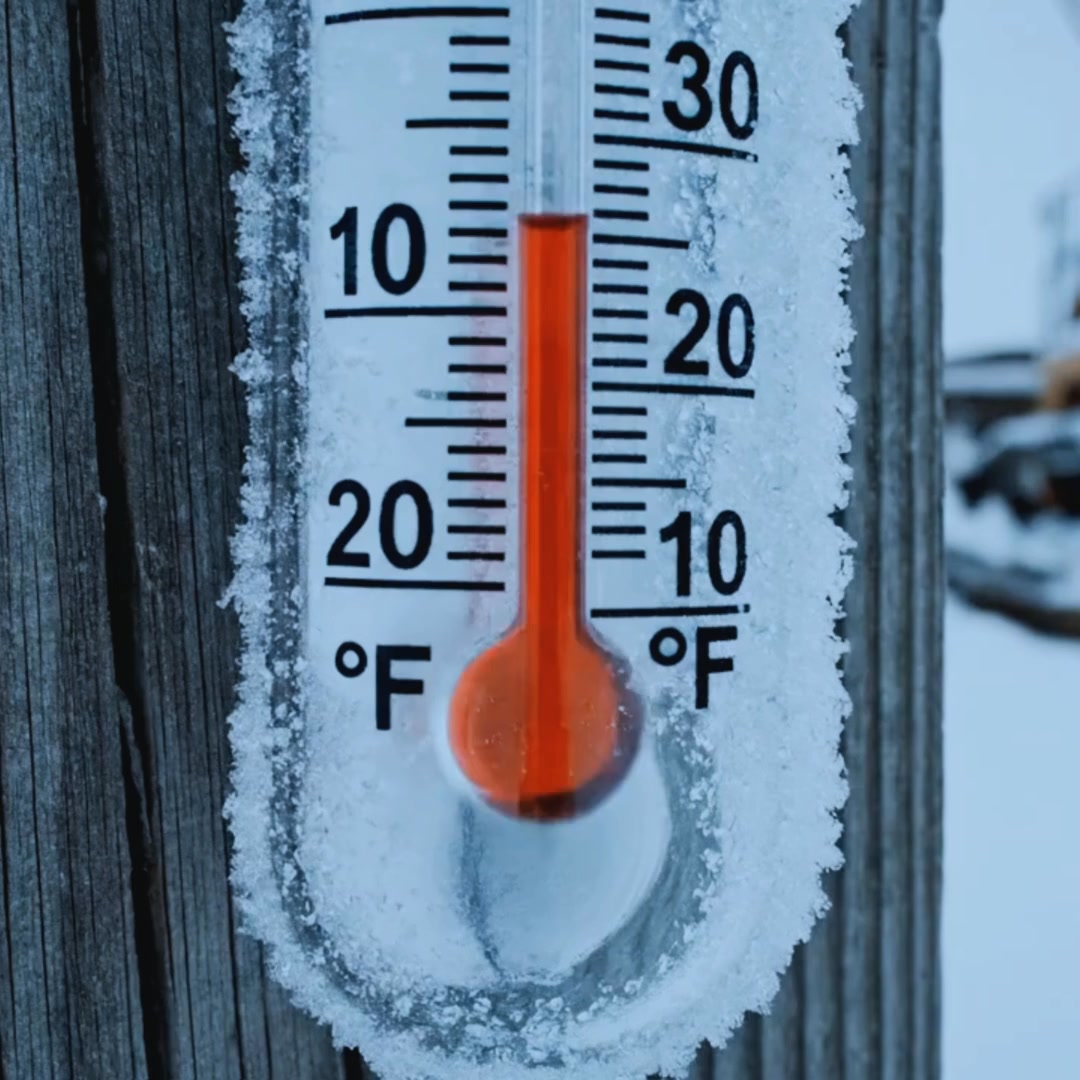
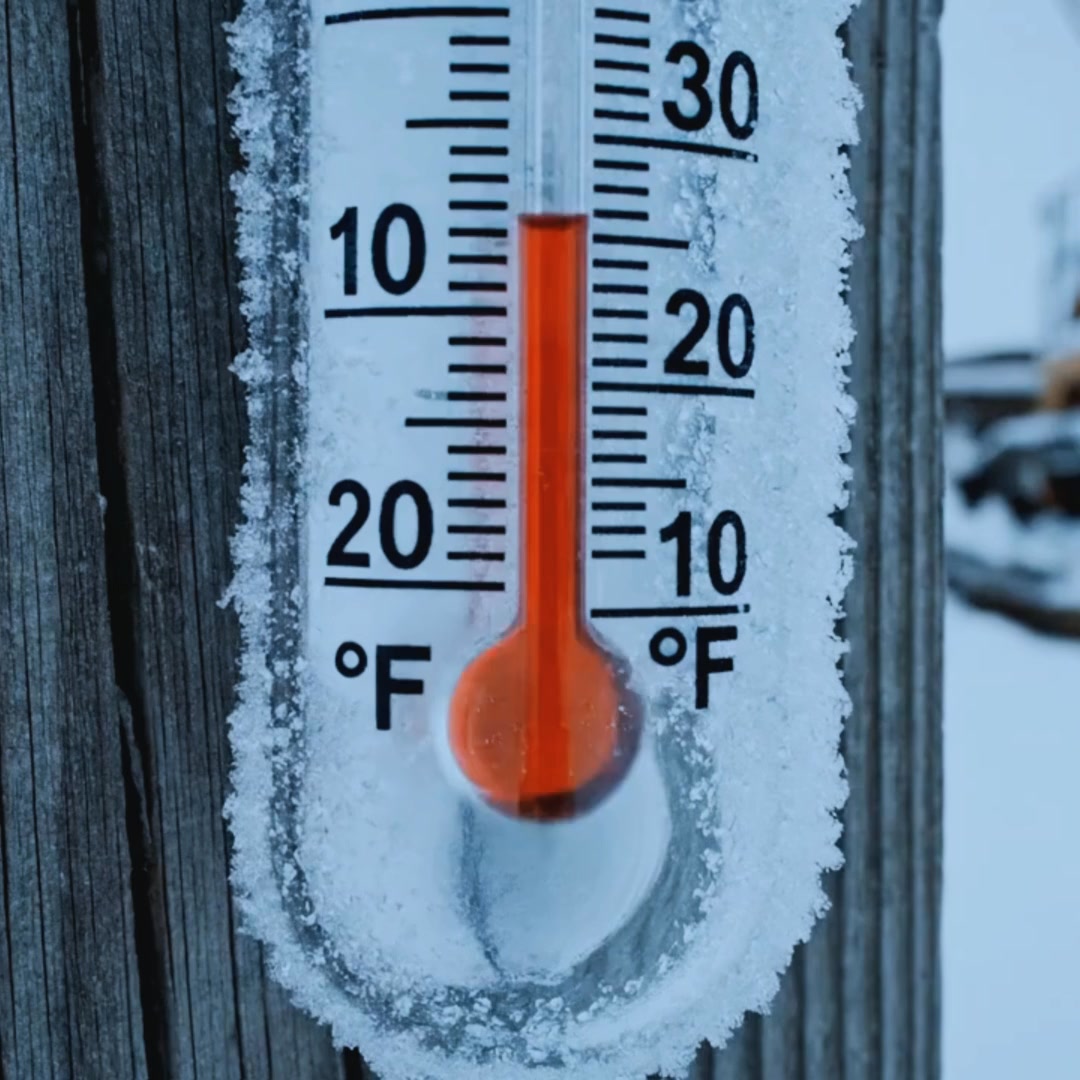
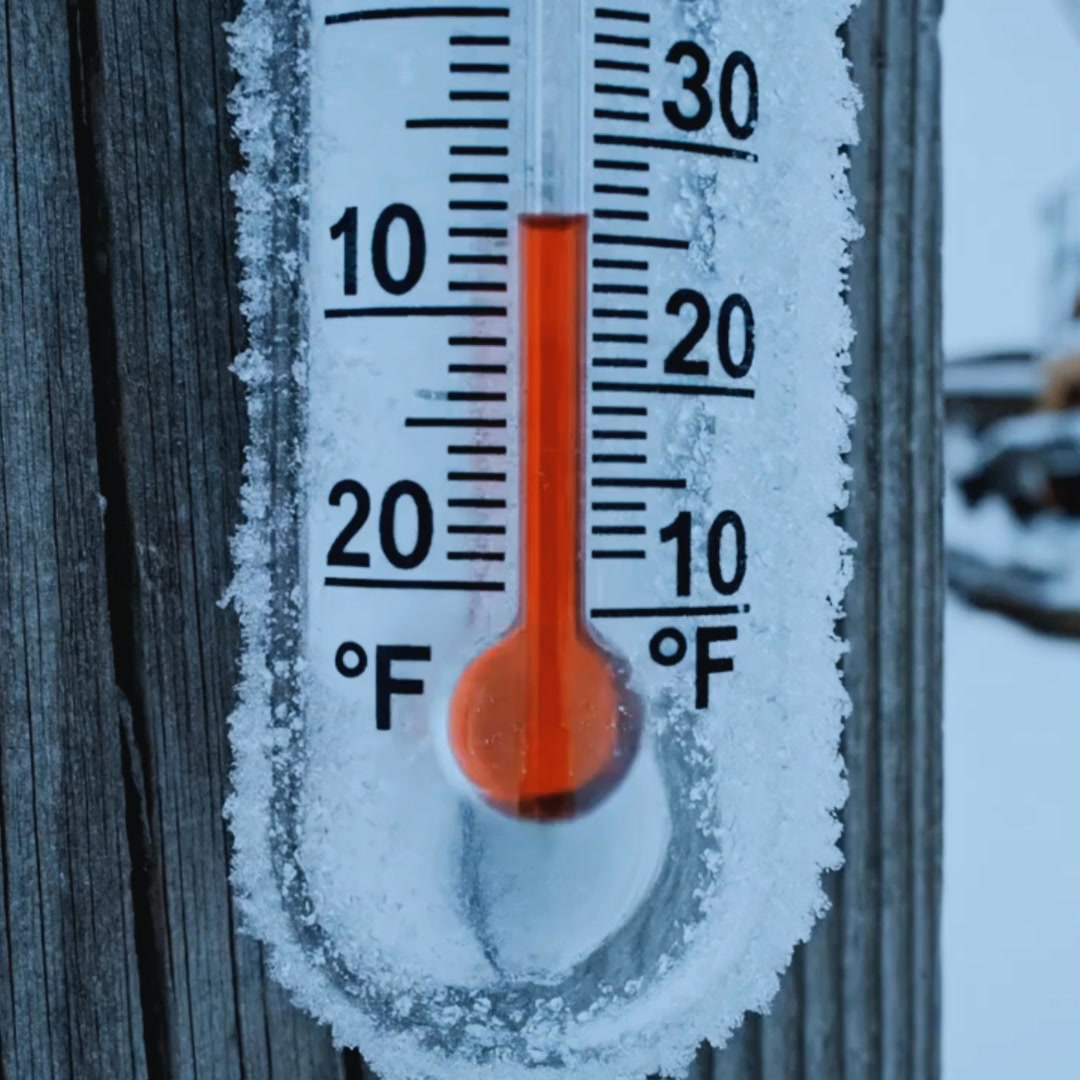
Blizzards don’t stop progress reports. DataLens keeps capturing and uploading at -4°F, with built-in cellular + solar and AI insights in CloudX, so project managers cut site visits and stay on schedule. See it working in winter conditions.

Hours in traffic—or a 10-second progress check? DataLens gives your team 4K eyes on-site from anywhere. Fewer site visits. Fewer surprises. Fewer delays. ✅ Set up in minutes ✅ Costs less than a jobsite lunch run 👉 See How It Works

Still wasting time driving to site? - CamDo’s DataLens shows you everything—without the drive. - 4K time-lapse - Built-in solar + cellular - AI alerts that flag issues fast Stop burning hours. Start building smarter. 👉 Learn More

Still wasting time driving to site? - CamDo’s DataLens shows you everything—without the drive. - 4K time-lapse - Built-in solar + cellular - AI alerts that flag issues fast Stop burning hours. Start building smarter. 👉 Learn More
7 more ad creatives
Ad spend, audience targeting & creative performance
Complete breakdown of Shopify apps, marketing tools, analytics platforms, and conversion optimization technologies powering this e-commerce store's operations.

Showing 5 technologies • 3 more available

Security, reliability and speed everywhere, powered by an intelligent global network.

Arrive gives you accurate and timely updates on everything you order, across all online retailers.

Shop Pay remembers your important details, so you can fill carts, not forms. And everything is encrypted so you can speed safely through checkout.
Showing 5 applications • 3 more available
Easy to use visual page editor to design blog posts, product pages, landing pages & theme sections
Get winning data you can't find anywhere else, save 95% of your time, and replace $1500+/m in tools. The platform built to make you rich fast for sure.
"The ability to see exactly what creatives are scaling for our competitors is a cheat code. We've improved our hit rate on new ad launches by over 300%."


Showing 6 of 6 similar stores with overlapping products, audience, and strategies.


See all competitors, ad creatives, and marketing strategies for Explore Cam.
Start free


Everything you need to know about cam-do.com
According to BrandSearch data, cam-do.com's product catalog includes 5 items. Analyze their winning products, trending items, pricing strategies, product descriptions, and top sellers. See which products drive the most revenue and learn from their product selection strategy to find your own winning products for dropshipping or private label.
According to BrandSearch analytics, cam-do.com receives approximately 51,057 monthly visitors. BrandSearch provides detailed traffic analytics including organic vs paid traffic sources, geographic distribution, bounce rates, session duration, and estimated monthly revenue ranges. Use these performance metrics to benchmark your own e-commerce store and set realistic growth targets.
Yes! BrandSearch's ad intelligence reveals cam-do.com's complete Meta advertising strategy including all Facebook ads, Instagram ads, and ad creatives. Analyze their ad copy, visual hooks, call-to-actions, targeting strategies, and promotional offers. Study their winning ad creatives to inspire your own Facebook and Instagram advertising campaigns and improve your ROAS (Return on Ad Spend).
BrandSearch's technology detection identifies cam-do.com's complete tech stack including all Shopify apps, theme, payment processors, email marketing tools, analytics platforms, and conversion optimization apps. See which apps they use for reviews, upsells, abandoned cart recovery, SEO, and social proof. Copy their winning tech stack to build a high-converting e-commerce store without trial and error.
BrandSearch provides full competitive intelligence on cam-do.com: traffic sources (organic SEO, paid ads, social media, email), top SEO keywords driving traffic, geographic markets, customer demographics, advertising spend estimates, and growth trends. Identify gaps in their product range, find underserved niches, analyze their pricing strategy, and discover opportunities to differentiate your brand. Perfect for competitive analysis and market research.
BrandSearch helps you identify cam-do.com's business model by analyzing their product catalog, supplier patterns, shipping locations, pricing margins, and product uniqueness. See if they're running a dropshipping operation, selling private label products, or manufacturing their own goods. Learn from their product sourcing and fulfillment strategies to optimize your own e-commerce operations.


See every product, winning ad, traffic source and revenue signal behind Explore Cam — in seconds.
Explore other stores similar to Explore Cam